Running a Cubic Odyssey server is a great way to experience the game with a large group of players, and it can be optionally restricted by making the server private or by adding a password. By uploading a local save to a server, users can continue any progress made locally, ensuring that world progression isn't lost and allowing players to pick up where they left off.
Note: Because joining a server creates a new character, character saves will not be transferred; only the world, structures, and items will transfer.
1. Open File Explorer.
2. Find the following directory: /Documents/Cubic Odyssey/save
3. Open the numbered folder.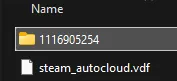
4. Minimize the folder to use later in the tutorial.
Note: The
0folder is the main save that the server will use. Other save folder names are counted up from 0.
5. Log in to the BisectHosting Starbase panel.
6. Stop the server.
7. Go to the Files tab.
8. Open the save_server folder. The server must have started once to generate the folder.
9. Delete all files inside the folder.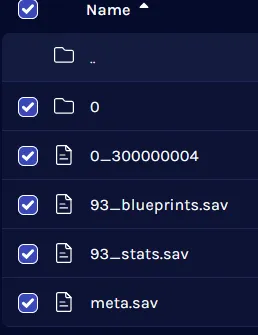

10. Upload the save files from step 4.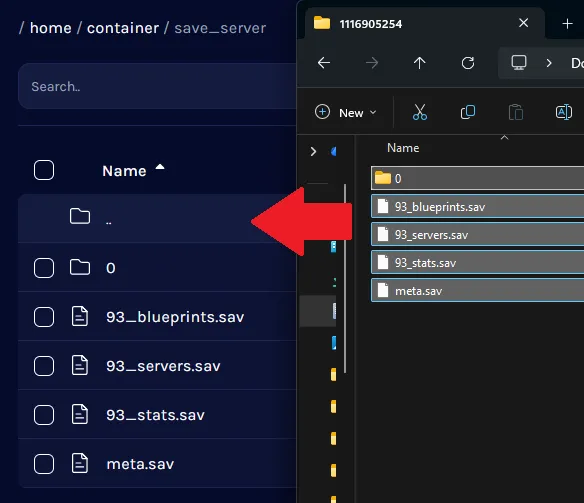
For multiple save folders, rename the desired save folder to 0. An existing 0 folder must be deleted or backed up.
11. Start the server.